
The short version
- A recording session is less nerve-racking than most people expect. You talk; someone else looks after the microphones, cameras and lighting.
- The work that makes a good episode happens before the day: knowing who it’s for, the three or four points you want to make and how you’ll open.
- Arrive a little early, wear plain clothes, bring water and switch your phone off. Notes are fine; a script usually isn’t.
- Mistakes don’t matter. Stop, pause and say it again. The editor takes the first attempt out.
- You get the edited episode back afterwards, with short clips for social media, and you check it before anything is published.
If you’ve never recorded a podcast, the hardest part is usually the hour before you start. This guide walks through a recording session from start to finish: what to do beforehand, what happens on the day, and what happens afterwards. It’s based on how sessions run at our podcast studio in Swindon, but most studios work in a similar way.
If you’re still working out whether a podcast is right for your business, start with how to start a podcast for your business.
Before the day: the planning that makes the episode
A good episode is mostly decided before anyone sits down at a microphone. Spend half an hour on these:
- Who it’s for. Picture one person who’d find the episode useful: a customer, a prospect, someone in your industry. Talk to them, not to “everyone”.
- Three or four points. Write down the things you want the listener to remember. That’s your outline. It’s enough to keep you on track without sounding read out.
- How you’ll open. The first minute decides whether people keep listening. Start with the problem or the question, not a long introduction.
- How you’ll finish. One thing you want the listener to do next: visit a page, book a call, listen to the next episode.
- Your guest, if you have one. Send them the topic, the questions you’ll probably ask and how long it will take. People relax when they know what’s coming.
Avoid writing a full script. Unless you’re a trained presenter, reading word for word sounds stiff. Bullet points on one sheet of paper work better.
At our studio, first-timers get a planning call before the session. It’s a chance to agree the format, test the idea out loud and get the outline right.
What to wear and bring
- Plain clothes. Solid colours look best on camera. Fine stripes and small checks can flicker on video, and a jangly bracelet or a crisp jacket can be heard on the microphone.
- Your notes. Printed or on a tablet. Paper rustles less than you think, but a tablet is quieter still.
- Water. Talking for an hour dries your mouth out. Avoid fizzy drinks before you record.
- Anything you want to show. A product, a book or a prop can make a video episode far more interesting.
- Your phone, switched off. Silent isn’t enough: microphones can pick up the buzz from a phone that’s receiving data.
What happens on the day
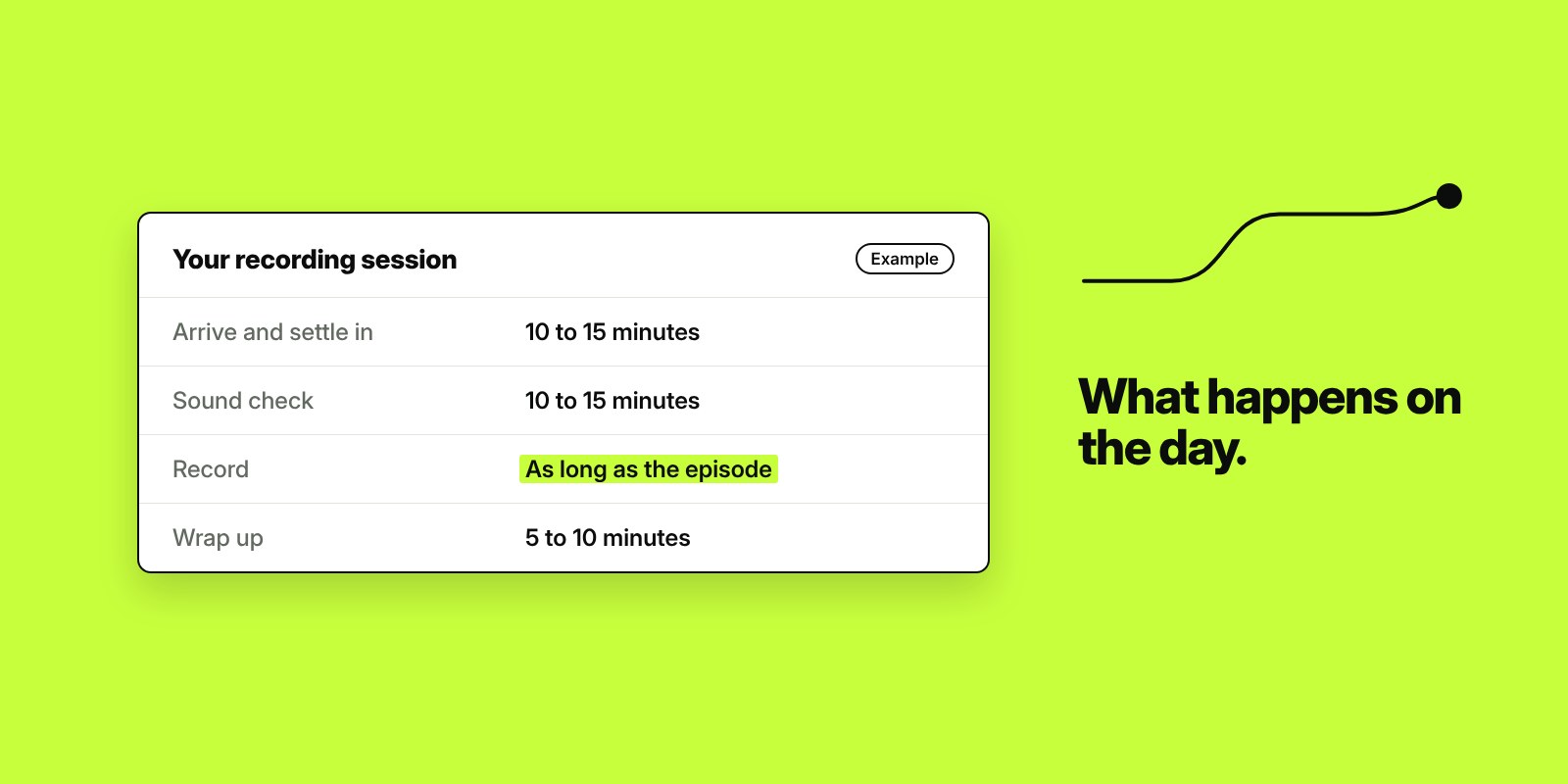
Sessions follow roughly the same pattern wherever you record.
| Stage | What happens | How long |
|---|---|---|
| Arrive and settle in | A drink, a look at the room, a quick chat through the plan | 10 to 15 minutes |
| Set-up and sound check | You’re seated, the microphones are positioned, cameras framed and lights adjusted. You say a few sentences so the levels can be set. | 10 to 15 minutes |
| Recording | You talk. The person running the session watches the levels and the cameras. | As long as the episode, plus a little extra |
| Short break | Between episodes, if you’re recording more than one | 5 to 10 minutes |
| Wrap up | Agree anything to cut, the clips you’d like and when the edit comes back | 5 to 10 minutes |
Recording several episodes in one session is the efficient way to do it. The set-up only happens once, you warm up as you go, and you leave with a month or more of content.
Tips for talking on a microphone
- Keep a steady distance. Stay roughly a hand’s width from the microphone and keep facing it. Leaning back or turning away changes how you sound.
- Talk as you would to a client across a table. Not to an audience, and not like a presentation.
- Slow down a little. Most people speed up when they’re nervous.
- Use examples. A short story from your own work is worth ten general points.
- Don’t worry about mistakes. If you stumble, pause for a second and say the sentence again. The editor removes the first attempt, and nobody hears it.
- Don’t talk over your guest. Let them finish before you come in, so each voice stays clean on its own microphone.
Recording with a remote guest
Not every guest can come to the studio. Remote recording tools such as Riverside record each person on their own computer and upload it afterwards, so a guest in another city sounds almost as good as one in the room. Ask remote guests to:
- Wear headphones, so your voice doesn’t echo back through their speakers.
- Sit in a quiet room with soft furnishings, not a kitchen or an empty office.
- Use a wired internet connection or sit close to the router.
- Close other programs and switch off notifications.
Our studio seats up to four people on microphones, and more can join remotely through Riverside.
What happens after the session
- Editing. Mistakes, long pauses and tangents come out. Sound levels are evened up and, for video, the editor switches between camera angles.
- Clips. The best moments are cut into short vertical videos for social media. Read one recording, a month of content for how to use them.
- Your review. You watch or listen to the edit and ask for changes. At our studio, edited episodes come back within 72 hours with one round of changes included.
- Publishing. The episode goes to your podcast host, which sends it to Spotify and Apple Podcasts, and to YouTube if you recorded video.
If you don’t yet have the channels set up, our Podcast Setup does that before your first session.
Making your first episode easier
- Record a short trial episode you don’t intend to publish. It takes the pressure off.
- Choose a topic you could talk about for an hour without notes.
- Bring a guest you know well for the first one. A conversation is easier than a monologue.
- Keep it shorter than you think. Read how long a business podcast should be.
If you run a business in or around Swindon and want to try it with no cost, we’re recording a free, fully edited podcast episode for ten local business owners, with a planning call first.
Frequently asked questions
Do I need any experience to record a podcast?
No. Most business owners who record a podcast have never done it before. Plan three or four points you want to make, talk as you would to a client, and let the person running the session look after the equipment.
Should I use a script for a podcast?
Usually not. Reading a script word for word tends to sound stiff unless you’re a trained presenter. A single sheet of bullet points gives you enough structure while letting you talk naturally.
What should I wear for a video podcast?
Plain, solid colours. Avoid fine stripes and small checks, which can flicker on camera, and anything that rustles or jangles, because the microphone will pick it up.
What happens if I make a mistake while recording?
Pause for a second and say it again. The editor removes the first attempt, so nobody hears it. Stopping and restarting is completely normal.
How many episodes can I record in one session?
It depends on the length of the episodes. In a half-day session at our studio, most people record three to four episodes, and six to eight in a full day.
Can a guest join a podcast recording remotely?
Yes. Remote recording tools such as Riverside record each person locally and upload the files afterwards, so a remote guest can sound almost as good as someone in the room. Ask them to wear headphones and sit somewhere quiet.

Founder of The Pursuit Agency in Swindon. He has worked in SEO for fifteen-odd years and leads the agency's SEO and Google Ads work for owner-led businesses across the UK.