
The short version
- Build audiences from what people did on your site. Basket abandoners, product viewers and pricing page visitors each need their own message; “all visitors” is the weakest audience you can run.
- Set the window from how long your customers take to decide, split it into stages, and change the ad as the days pass.
- Small audiences see the same ad often. Cap frequency where you can and replace the creative when frequency rises and clicks fall.
- Only visitors who accept advertising cookies can join a website audience, and a badly set-up cookie banner or Consent Mode shrinks your lists further.
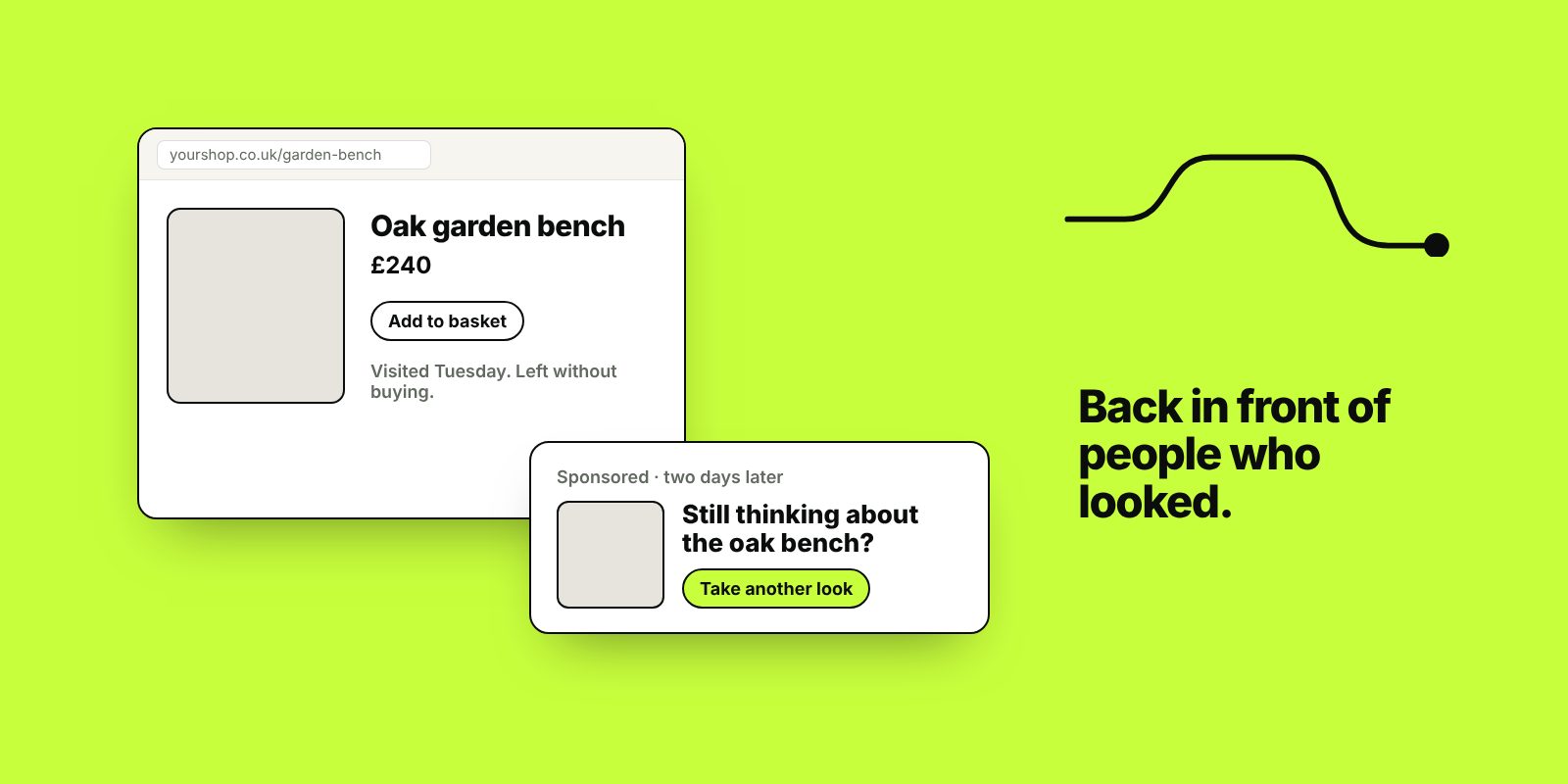
Retargeting shows ads to people who have already visited your website, watched your videos or bought from you. Google calls it remarketing. These people already know who you are, so the ads have less work to do than ads shown to strangers. It’s also easy to waste money on, usually through one ad following someone for weeks, or ads shown to people who have already bought.
Our guide to PPC explains where retargeting fits among the other campaign types. This post covers setting it up for a small business or online shop.
How retargeting audiences are built
A tag on your website records each visit: the Google tag for Google Ads and GA4, and the Meta Pixel for Facebook and Instagram. You define audiences with rules, such as “added to basket but didn’t purchase”, and choose how long someone stays in the audience after their last matching visit. That setting, the membership duration, is your timing window.
Website visits aren’t the only source. You can upload customer lists of people who agreed to hear from you (Google calls this Customer Match and has eligibility rules for it). You can target people who watched your YouTube videos or engaged with your Facebook Page, Instagram account or lead forms.
Both platforms need a minimum number of people in an audience before ads will run to it. On a small site the narrowest audiences, such as people who reached the checkout, may never get big enough alone. Lengthen the window or combine audiences until they do.
Audiences worth building first
| Audience | How to define it | What to show them |
|---|---|---|
| Basket abandoners (shops) | Added to basket, no purchase | The products they left, with delivery, returns and reviews |
| Product viewers (shops) | Viewed a product, didn’t add to basket | Those products and close alternatives |
| Past customers (shops) | Purchased, or from your customer list | Related products, refills and new ranges |
| Service page viewers | Viewed a service page, didn’t enquire | Reviews, photos of finished work and how the process runs |
| Pricing or quote page visitors | Viewed pricing or started a quote form | Answers to whatever stops people going ahead: cost, timing or trust |
Build exclusions at the same time: people who recently bought or enquired (unless the ad is for something new to them), visitors to your careers page, customers on a retainer or subscription, and visits lasting a few seconds, which are often accidental clicks.
Timing windows: how long to retarget for
Set the window from how long your customers take to decide. Check your own data first: the gap between first visit and order in your shop platform or GA4, or between first enquiry and signed quote in your CRM. If you have neither, ask your last ten customers how long they looked around before buying.
Example starting windows. Your own data should override these.
| Business | Example window | Why |
|---|---|---|
| Takeaways, event tickets, short-notice bookings | 1 to 14 days | Decisions are quick; a long window mostly reaches people who’ve moved on |
| Online shop, everyday products | Baskets 1 to 7 days; product viewers up to 30 | Act on baskets while the purchase is still on their mind |
| Online shop, higher-value products | 30 to 90 days | People compare, read reviews and save up |
| Kitchens, extensions and other home improvements | 90 to 180 days | Long research, several quotes and a partner to persuade |
| Business services | 90 days or more | Several people are often involved |
Meta lets website audiences look back up to 180 days. Google allows longer membership durations, which suits the slowest decisions.
Change the message as time passes
Run one audience with one ad for 30 days and someone sees the same reminder on day 1 and day 29. Split the window into stages, each excluding the one before, so the message moves on.
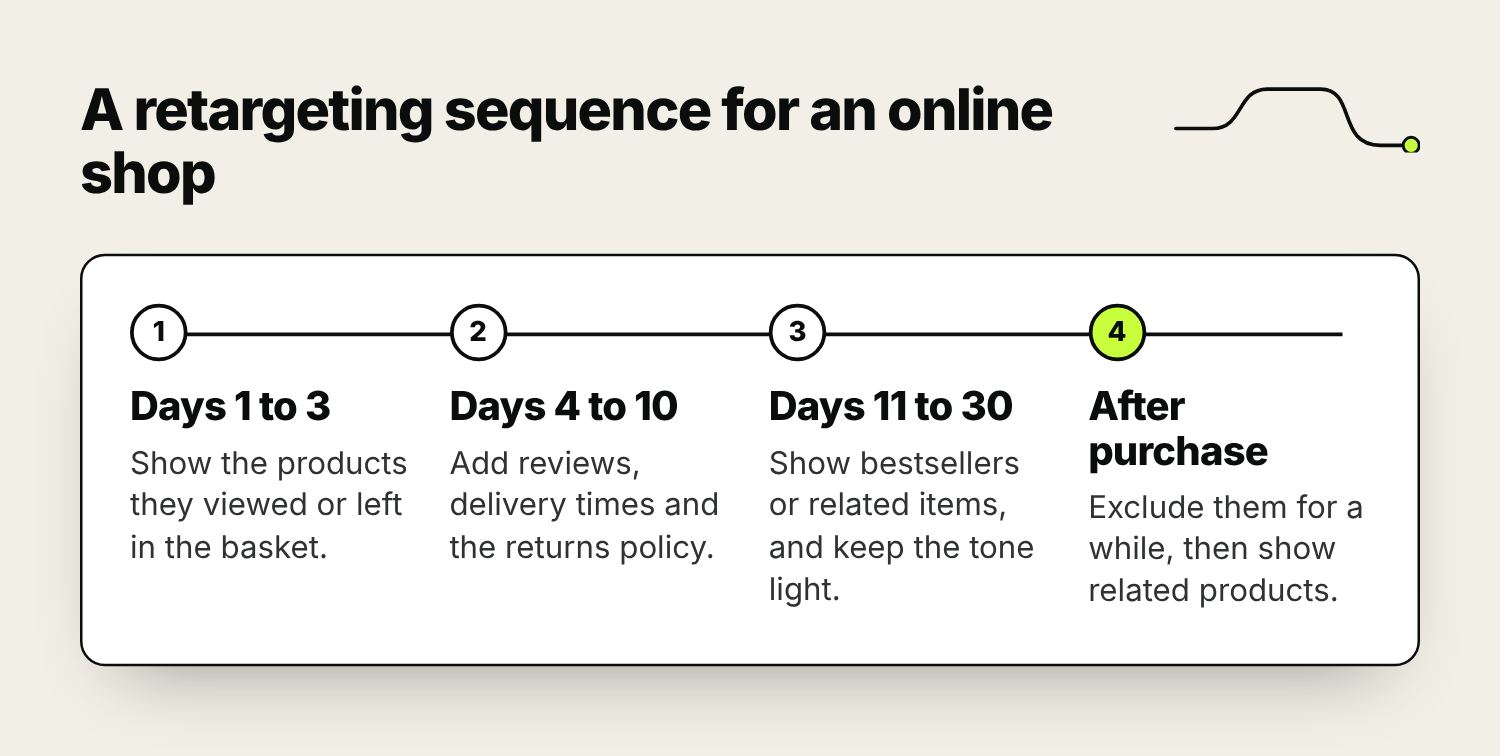
Save discounts for later stages, if you use them at all. Money off in the first reminder teaches regular customers to leave things in the basket and wait for a code.
Retargeting on Google Ads
- Display campaigns show image ads on websites and apps in Google’s Display Network. They’re the usual home for straightforward retargeting.
- Demand Gen and video campaigns reach past visitors on YouTube, Discover and Gmail.
- In Search campaigns you can add audiences in Observation mode, which reports how past visitors perform, or Targeting mode, which shows the campaign only to them. A Targeting campaign on broader research searches, such as “kitchen ideas”, keeps you in front of people still deciding without paying for those clicks from strangers.
- Performance Max treats your audiences as signals and isn’t limited to them, so it can’t run as a pure retargeting campaign.
Online shops should set up dynamic remarketing, which pulls products from your Merchant Center feed and shows each person the items they viewed. The same feed runs Google Shopping ads. If you’d like someone to run the account, see our Google Ads management.
Retargeting on Facebook and Instagram
On Meta, retargeting audiences are custom audiences: website visitors recorded by the Pixel, customer lists, and people who engaged with your Page, Instagram account, videos or lead forms. Set the Pixel up with the standard events that match your site, such as ViewContent, AddToCart, Purchase or Lead, and connect the Conversions API, which sends the same events from your server or shop platform so fewer are lost when browsers limit tracking.
Shops should use catalogue ads (Advantage+ catalog ads in Ads Manager), which show each person the products they viewed from a catalogue synced with your shop.
Check the audience settings on every retargeting campaign. With the Advantage+ audience option on, a custom audience can be treated as a suggestion and the ads may reach people outside it. To reach past visitors only, switch to the original audience options. Our paid social page covers how we run Meta campaigns.
Frequency and creative
Retargeting audiences are small, so the budget goes on the same people again and again. Past a point, extra impressions irritate people and stop bringing in sales.
- On Meta, add the Frequency column in Ads Manager. When frequency keeps rising while click-through rate falls, change the creative, widen the audience or lower the budget.
- On Google, use the frequency cap in your Display and video campaign settings where it’s offered.
- Run two or three ads per audience and replace them every few weeks, or sooner if frequency climbs.
The ad should pick up where the visit left off, so work out why people leave without buying and answer that reason. If it’s delivery or returns, show the costs and the policy. If they’re comparing prices, show what’s included or the guarantee. If it’s trust, show reviews, accreditations or photos of real jobs. The questions customers ask on the phone tell you which matters most. Keep the tone light, because ads that make the tracking feel obvious can put people off.
Cookie consent and audience size
In the UK, advertising cookies and similar tracking need the visitor’s consent under PECR and UK GDPR. Visitors who decline can’t be added to website audiences, so your lists will always be smaller than the visitor numbers in GA4.
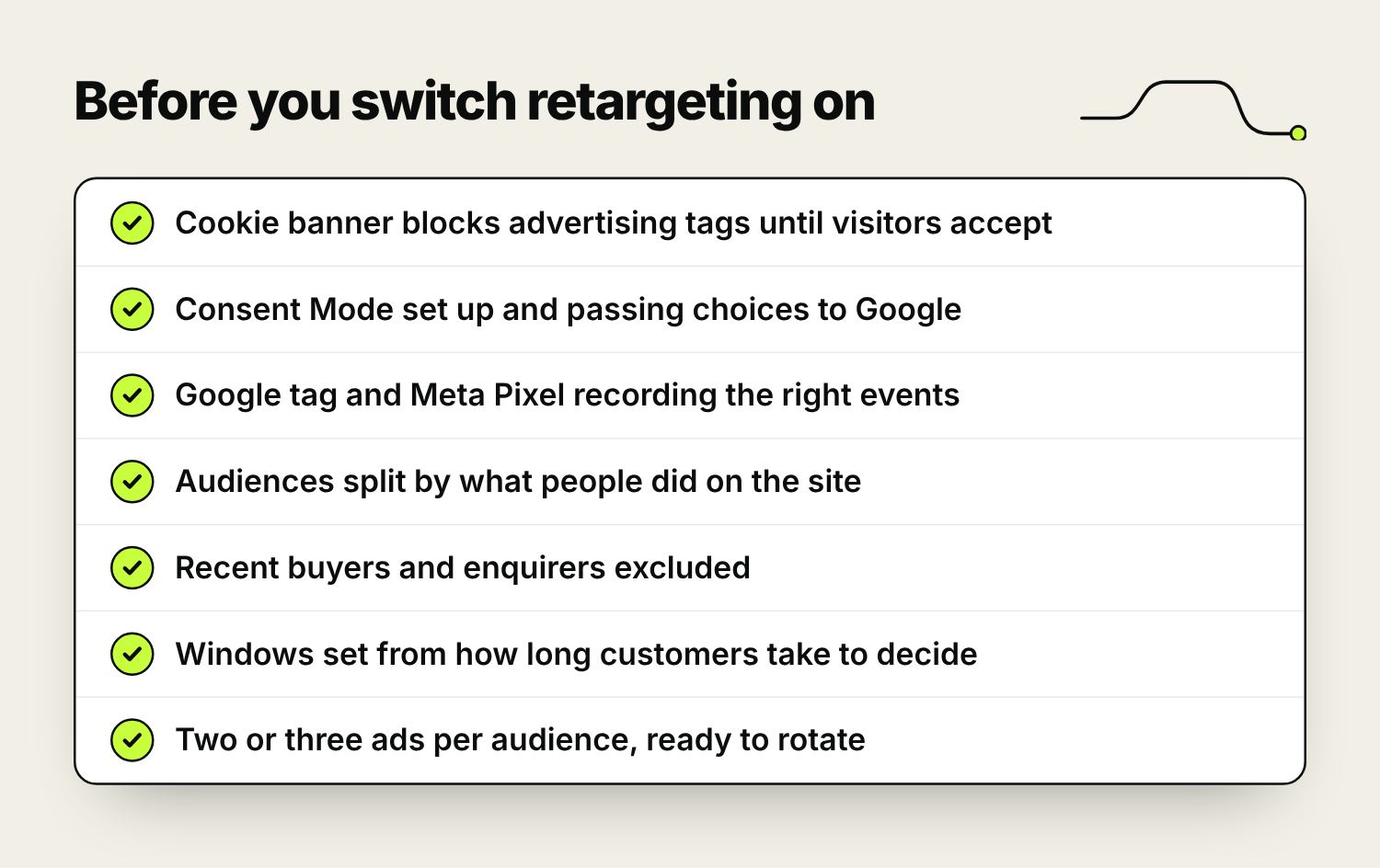
- The cookie banner should block advertising tags until someone accepts. A banner that loads after the tags, or never passes on the choice, leaves you either breaking the rules or with audiences that barely grow.
- Google’s Consent Mode passes each visitor’s choice to Google’s tags. Without it, Google can’t tell who agreed, and your audiences and conversion data both suffer.
- Meta’s Conversions API doesn’t replace consent. Only send events for visitors who agreed.
If an audience is much smaller than you expected, test the banner first: visit your site in a private window, accept cookies, and use Google’s Tag Assistant or Meta’s Pixel Helper to check the tags fire.
Is retargeting bringing in extra sales?
Retargeting usually reports better results than any other campaign, because the people in the audience were already close to buying. Some would have come back anyway, and the platforms still count them, including some who saw an ad and never clicked.
- Judge it on conversions after a click first, and treat view-through figures with caution.
- Compare total sales or enquiries with retargeting on and off. Pausing it for a couple of weeks in a steady period is a rough but honest test.
- Keep it a small share of the budget. It only works on visitors your other marketing brings in.
- Shops should set up abandoned basket emails before ads, as they cost nothing per click. Our guide to automated email sequences covers them.
Frequently asked questions
What’s the difference between retargeting and remarketing?
In practice they mean the same thing: advertising to people who have already visited your site or engaged with you. Google calls it remarketing; most other platforms say retargeting.
How long should someone stay in a retargeting audience?
About as long as your customers usually take to decide: perhaps a week for a takeaway, a month for everyday products online, and several months for kitchens or business services. Meta website audiences can look back up to 180 days.
How many times should someone see a retargeting ad?
There’s no single right number. When frequency keeps rising and click-through rate falls, change the ad, widen the audience or lower the budget.
Does retargeting work for service businesses?
It can, when the audience is people who viewed a service or pricing page and the ad answers what holds them back, such as cost, timing or trust. Exclude people who have already enquired.
Do I need cookie consent for retargeting in the UK?
Yes. Advertising cookies need the visitor’s consent, and only people who accept them can join website audiences. Customer lists should only include people who agreed to marketing from you.
How much should I spend on retargeting?
Base it on audience size. A small audience can only take a small budget before people see the same ad too often. Start low, watch frequency and cost per sale or enquiry, and keep most of the budget on finding new visitors.

Founder of The Pursuit Agency in Swindon. He has worked in SEO for fifteen-odd years and leads the agency's SEO and Google Ads work for owner-led businesses across the UK.