
The short version
- PPC means you pay when someone clicks your ad. On Google, it puts you at the top of the results for searches you choose, from the day your ads are approved.
- The price of a click comes from an auction. How relevant your ad and landing page are affects your position and cost as well as your bid.
- Set up conversion tracking before you spend anything. Without it you can’t tell which clicks brought in work.
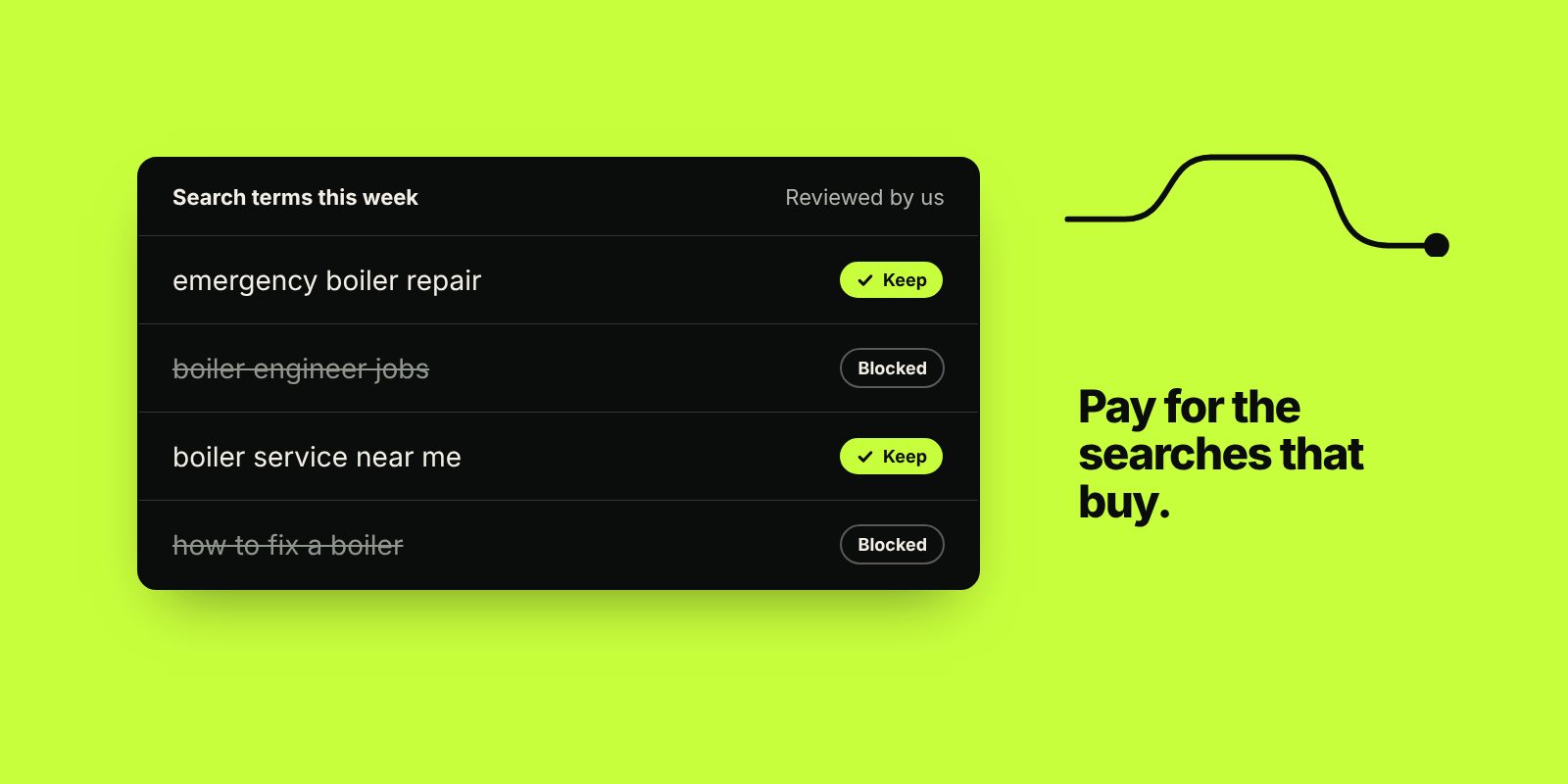
- Most wasted budget comes from loose keywords, missing negative keywords and clicks sent to a page that doesn’t answer the search.
- Judge PPC on cost per enquiry, or return on ad spend if you sell online. Clicks and impressions on their own don’t pay the bills.
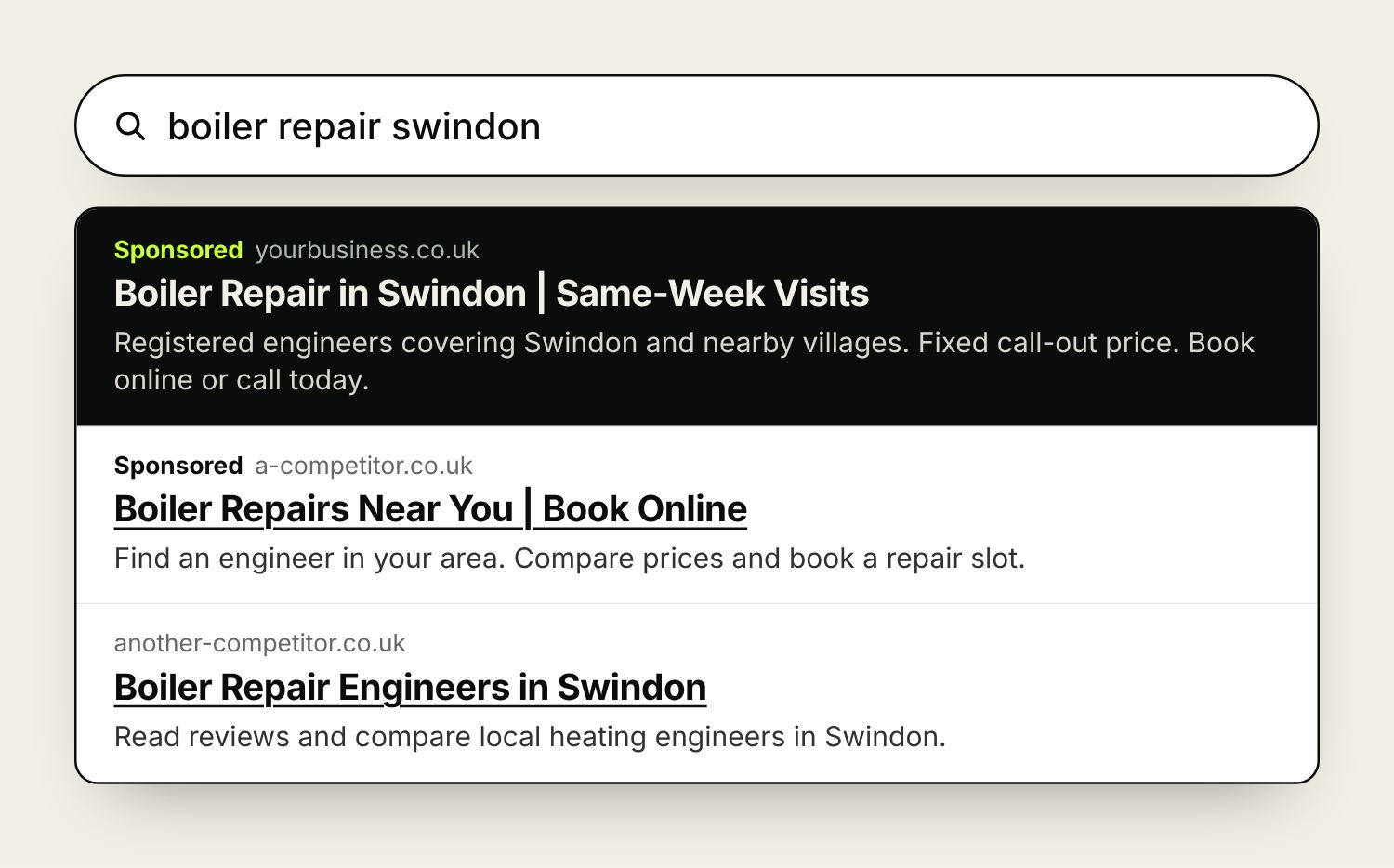
Pay-per-click (PPC) is online advertising where you pay each time someone clicks your ad. For most UK businesses, PPC means Google Ads: the sponsored results at the top of a Google search, plus the Shopping, YouTube and display ads that run from the same account. Microsoft Advertising, which covers Bing, works in much the same way. Paid social on Facebook, Instagram and LinkedIn is often grouped under PPC too, although it works differently.
This guide explains how the auction works, how a campaign is put together, what it costs and how to tell whether it’s paying for itself.
How PPC advertising works
You choose the searches you want to appear for (your keywords), write ads, set a budget and decide how much you’re prepared to pay for a click. When someone searches, Google runs an auction among the advertisers targeting that search and decides which ads show and in what order.
Your position comes from what Google calls Ad Rank. Google doesn’t publish the formula, but it takes into account your bid, the quality of your ad and landing page, the context of the search (location, device, time of day) and the expected effect of extras such as sitelinks. A more relevant ad can sit above a competitor who bids more.
You rarely pay your full maximum bid. You pay roughly what it takes to hold your position, which is often less.
Quality Score
Google gives each keyword a Quality Score from 1 to 10, based on three things: expected click-through rate, how relevant the ad is to the keyword, and the experience of the landing page. Google treats it as a diagnostic and doesn’t use the score itself in the auction, but it points straight at problems. Low ad relevance means your ad doesn’t match the search. A poor landing page rating usually means the page doesn’t answer the search, or loads slowly on mobile.
PPC terms you’ll come across
| Term | What it means |
|---|---|
| Impression | One showing of your ad |
| CPC (cost per click) | What you pay for one click |
| CTR (click-through rate) | Clicks divided by impressions. 6 clicks from 150 impressions is a 4% CTR |
| Conversion | An action you count as a result: an enquiry form, a call, a booking or a sale |
| CPA (cost per acquisition) | Ad spend divided by conversions: your cost per enquiry or sale |
| ROAS (return on ad spend) | Revenue from ads divided by ad spend, mostly used by online shops |
| CPM (cost per mille) | Cost per thousand impressions, common on display and social ads |
| Impression share | The share of eligible searches where your ad appeared |
| Negative keyword | A word that stops your ad showing, such as “jobs” or “free” |
PPC, SEM and SEO: the difference
SEM (search engine marketing) is the umbrella term for getting found in search engines, paid or organic. PPC is the paid part: you pay for each click, results start as soon as the ads run, and the traffic stops when the budget does. SEO is the organic part: you don’t pay per click, but it takes months to build and you can’t switch it on when you need it.
Most businesses do best with both: PPC for enquiries now and to learn which searches turn into customers, SEO for the searches you’ll want for years. Our guide to how long SEO takes covers the organic side.
PPC platforms: where your ads can run
Google Ads
Google Ads is the main platform for most UK businesses, because that’s where most searches happen. One account can run several campaign types:
| Campaign type | Where ads show | Usually suits |
|---|---|---|
| Search | Text ads in Google search results | Service businesses and anyone people already search for |
| Shopping | Product ads with an image and price, built from a Merchant Center product feed | Online shops |
| Performance Max | Search, Shopping, YouTube, Display, Discover, Gmail and Maps from one campaign, with Google choosing where | Shops and lead generation with reliable conversion data; needs close watching |
| Display | Image ads on websites and apps in Google’s network | Retargeting and awareness |
| Video | YouTube | Showing a product or service in action |
| Demand Gen | YouTube, Discover and Gmail | Visual ads to people likely to be interested, including past visitors |
If you sell products online, Shopping ads usually come first. Our page on Google Shopping ads covers feeds and set-up.
Microsoft Advertising
Microsoft Advertising shows ads on Bing and Microsoft’s partner sites. The audience is smaller than Google’s, and clicks can be cheaper. It can suit business-to-business advertisers, because Bing is the default search engine on a lot of work computers running Windows and Edge. You can import campaigns straight from Google Ads, so once Google Ads is working it’s a quick test.
Paid social
Facebook, Instagram, LinkedIn and TikTok ads work differently, because nobody is searching for you. You target people by location, interests, behaviour or, on LinkedIn, job role, and you usually pay by impressions. It’s good at creating interest among people who weren’t looking yet, and at retargeting people who have already visited your site. Our paid social page goes into more detail.
How a Google Ads account is structured
An account holds campaigns. Each campaign holds its own budget, locations, schedule and bidding. Inside each campaign are ad groups, and each ad group holds a tight set of keywords and the ads written for them. The tighter the match between keyword, ad and landing page, the better your Quality Score and the less you tend to pay.
| Campaign | Ad group | Example keywords | Landing page |
|---|---|---|---|
| Worktops | Quartz worktops | quartz worktops, quartz kitchen worktops | Quartz worktops page |
| Worktops | Granite worktops | granite worktops, granite kitchen worktops | Granite worktops page |
| Worktops | Worktop fitting | worktop fitters, worktop installation | Fitting service page |
Keyword match types
Match types control how closely a search has to match your keyword before your ad can show.
| Match type | How you write it | Can show for |
|---|---|---|
| Broad | quartz worktops | Searches related to the meaning, such as “kitchen worktop ideas” |
| Phrase | “quartz worktops” | Searches that include the meaning of the phrase, such as “quartz worktops fitted in Bath” |
| Exact | [quartz worktops] | Searches with the same meaning, such as “quartz worktop” or “worktops in quartz” |
Broad match relies on Google’s automated bidding and good conversion data to work well. On a smaller budget, phrase and exact match give you more control over where the money goes.
Negative keywords
Negative keywords stop your ads showing for searches you don’t want. Most service businesses start with words like jobs, salary, course, free, DIY and second hand, then add more each week from the search terms report, which lists the searches that triggered your ads. If you sell at the premium end, “cheap” is often worth excluding too.
Locations and schedule
Target only the areas you serve. Google’s default location option includes people who have only shown interest in your area. For most local businesses, switching to people in or regularly in your area stops spend leaking to searchers miles away. You can also limit ads to opening hours if you rely on phone calls.
Ads and assets
Search ads are now responsive search ads. You supply up to 15 headlines of up to 30 characters and up to 4 descriptions of up to 90 characters, and Google tests combinations. Write headlines that each make sense on their own, covering the service, the location, why to choose you and the next step.
Assets, which Google used to call extensions, add extra lines to your ad: sitelinks to other pages, callouts, your phone number, your address from Google Business Profile, and images. They make the ad bigger and give people more reasons to click. Add every one that’s relevant.
What PPC costs
There are two costs: the ad spend you pay to Google, and the cost of managing the account, whether that’s your time or an agency’s fee. The price of a click is set by the auction and varies a lot by trade and location. Keyword Planner, inside Google Ads, shows estimated bid ranges for the searches you’re considering.
The useful way to set a budget is to work backwards from what a customer is worth.
Example: if clicks cost £3 and 1 in 20 visitors enquires, each enquiry costs about £60 in ad spend. If 1 in 4 enquiries becomes a job worth £800, you’re spending about £240 in ads for each job.
Use your own numbers: your enquiry rate from GA4, and your rate of turning enquiries into sales from your own records. On budgets, Google can spend up to twice your daily budget on a busy day, but won’t charge more than your daily budget multiplied by 30.4 across a month.
Our Google Ads management starts from £1,000 a month, plus ad spend that you pay straight to Google from your own account.
Before you spend: set up tracking and landing pages
Conversion tracking tells Google Ads which clicks led to an enquiry, a call or a sale. Without it, you’re judging the account on clicks and guesses, and automated bidding has nothing to learn from. Track form submissions, calls from the ads, calls from the website and, for shops, sales with their value.
The landing page matters as much as the ad. Send each ad group to the page that answers that search, with the price or next step easy to find on a phone. Sending every click to your homepage is one of the most common ways budgets are wasted.

Retargeting: reaching people who’ve already visited
Most people don’t enquire or buy on their first visit. Retargeting, which Google calls remarketing, shows ads to people who have visited your site or engaged with you before, on Google’s Display network, YouTube and social platforms. Some practical rules:
- Split audiences by what people did. Someone who viewed a product, someone who abandoned a basket and someone who read your pricing page each need a different message.
- Match the timing to how long people take to decide. A takeaway might retarget for a few days; a kitchen company might keep someone in an audience for months. Set audience durations to suit, and change the message as time passes.
- Exclude people who have already bought or enquired, unless you’re offering them something new.
- Limit how often people see the same ad, and refresh the creative regularly.
- For repeat custom, upload a customer list (Customer Match on Google, Custom Audiences on Meta), using only contacts who have agreed to hear from you.
In the UK you need visitors’ consent before setting advertising cookies, so retargeting audiences only include people who accepted them. Set up your cookie banner and Google’s Consent Mode properly, or your audiences and your conversion data will be smaller than they should be. Our retargeting guide goes further on audiences, timing and what to show people.
How much to hand over to Google’s automation
Google Ads now automates a lot of bidding, ad combinations and targeting. Automated bid strategies such as Maximise conversions, Target CPA and Target ROAS do a good job when they have accurate conversion data and a clear goal. If that data is wrong, for example counting every page view as a conversion, they’ll chase the wrong result very efficiently. Keep control of the things it can’t judge for you: which actions count as conversions, the budget, the locations, the negative keywords and what each conversion is worth to your business. Check the search terms report every week, at least for the first few months.
How to tell if PPC is working
- Cost per enquiry or sale, compared with what a customer is worth to you. This is the number that decides whether to spend more.
- Return on ad spend for online shops, using profit margin as well as revenue.
- The search terms report: are the searches triggering your ads the ones you meant to buy?
- Impression share lost to budget, against impression share lost to rank. The first means you could buy more of the same; the second means your ads or bids need work.
Give a new campaign a few weeks before making big changes. Automated bid strategies have a learning period, and a week of data rarely tells you much.
Frequently asked questions
What does PPC stand for?
Pay-per-click. It’s a form of online advertising where you pay each time someone clicks your ad. Google Ads is the most common example in the UK.
How much does PPC cost in the UK?
There’s no fixed price. Clicks are priced by auction and vary by trade and location. Work out what you can afford to pay for an enquiry from what a customer is worth, then set a budget that buys enough clicks to test. Add the cost of managing the account, whether that’s your time or an agency’s fee.
Is PPC the same as Google Ads?
Google Ads is the largest PPC platform, but PPC also covers Microsoft Advertising on Bing. Paid social on Facebook, Instagram and LinkedIn is often grouped with it, although those platforms usually charge by impressions.
Is PPC better than SEO?
They do different jobs. PPC brings traffic as soon as ads are approved and stops when you stop paying. SEO takes months to build but keeps bringing visitors without a cost per click. Most businesses use PPC for enquiries now and SEO for the long term.
How quickly does PPC work?
Google reviews most ads within a working day, so you can be visible very quickly. It usually takes a few weeks of data to see which keywords and ads bring enquiries at a cost that works, and longer for automated bidding to settle.
What is retargeting in PPC?
Retargeting, or remarketing, shows ads to people who have already visited your website or engaged with you. It works best when audiences are split by what people did, timed to how long your customers take to decide, and limited to people who consented to advertising cookies.

Founder of The Pursuit Agency in Swindon. He has worked in SEO for fifteen-odd years and leads the agency's SEO and Google Ads work for owner-led businesses across the UK.