
The short version
- Google Search Console is free and shows the searches your site appears for, your average position, impressions and clicks, all from Google’s own data.
- Searching Google yourself is unreliable. Results change with your location, device and search history.
- A paid rank tracker earns its cost when you need positions for set keywords on a schedule, exact positions in several towns, or competitors tracked alongside you.
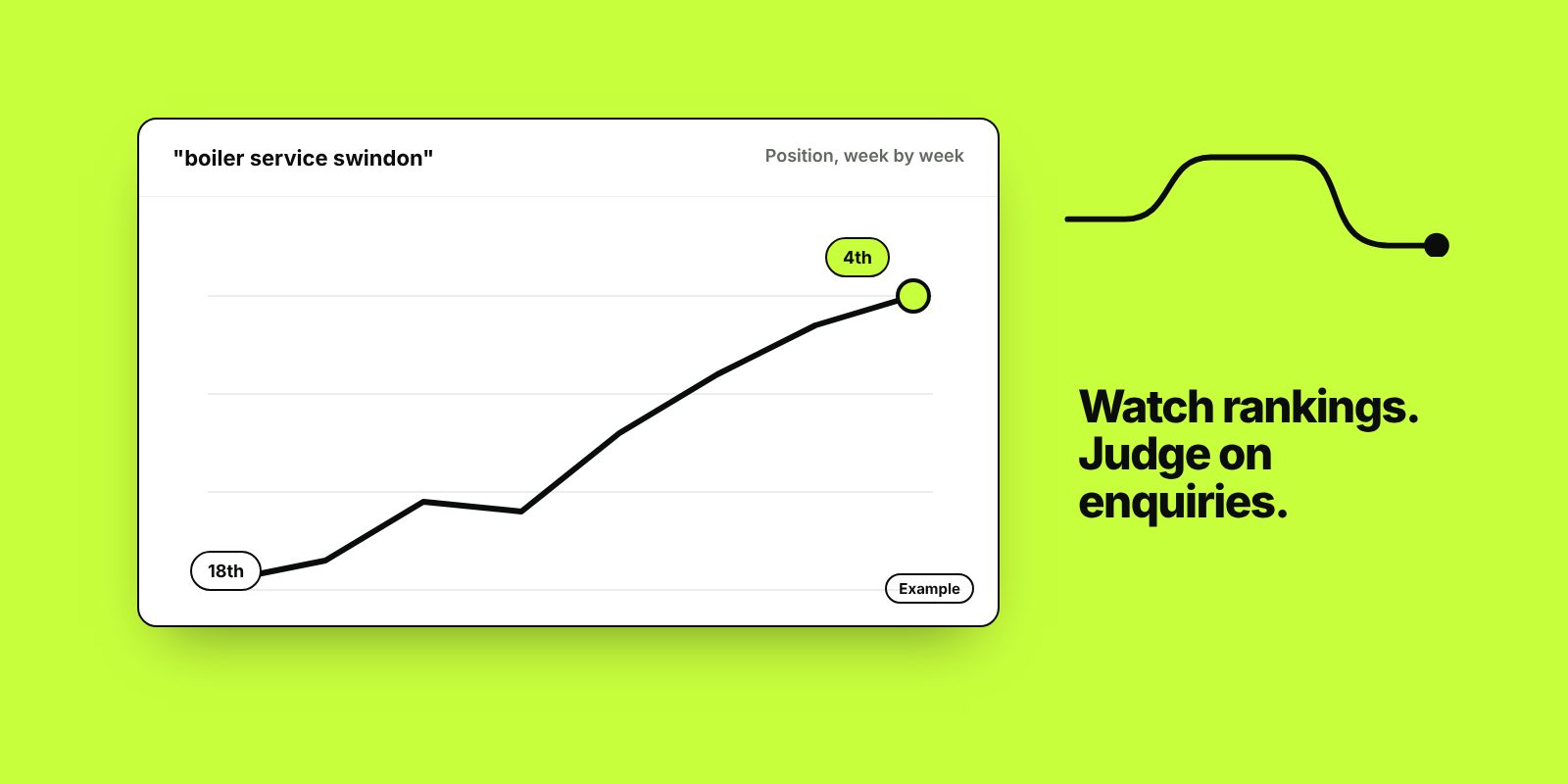
- Track groups of searches over months. One keyword on one day moves for reasons you can’t control.
- The numbers that matter most are clicks from searches that don’t include your business name, and the enquiries or sales they bring.
Most people searching for how to monitor search engine rankings are looking for a tool. The one most businesses should start with is Google Search Console. It’s free, and it shows Google’s own data on which searches your site appears for and in what position. Paid rank trackers add scheduled checks on fixed keywords, competitor comparisons and precise local positions, and they’re worth paying for in some situations.
This guide covers both, and the numbers to watch alongside rankings so you can tell whether SEO is bringing in work.
Why checking Google yourself is misleading
Search results vary with location (down to the street for local searches), device, language settings and what you’ve searched for before. A private browser window removes some personalisation, but not your location. Your position for “accountant” from your own office can look nothing like what a customer sees five miles away, and Google may show your own site higher to you because you visit it often.
Results pages also hold far more than ten plain links. Ads, map results, AI Overviews, “People also ask” boxes, shopping results and videos can all sit above the organic listings. Third place in the organic results can be well down the screen on a phone.
Checking the same phrase every morning also trains you to worry about normal movement. Positions shift daily as Google tests results.
How to monitor rankings free with Google Search Console
Set it up
Add your site at Google Search Console and verify that you own it. A domain property, verified by adding a record to your domain’s DNS settings, covers every version of your site in one place. While you’re there, submit your XML sitemap and link Search Console to Google Analytics 4. If someone else set Search Console up for you, make sure your own Google account is an owner.
Read the Performance report
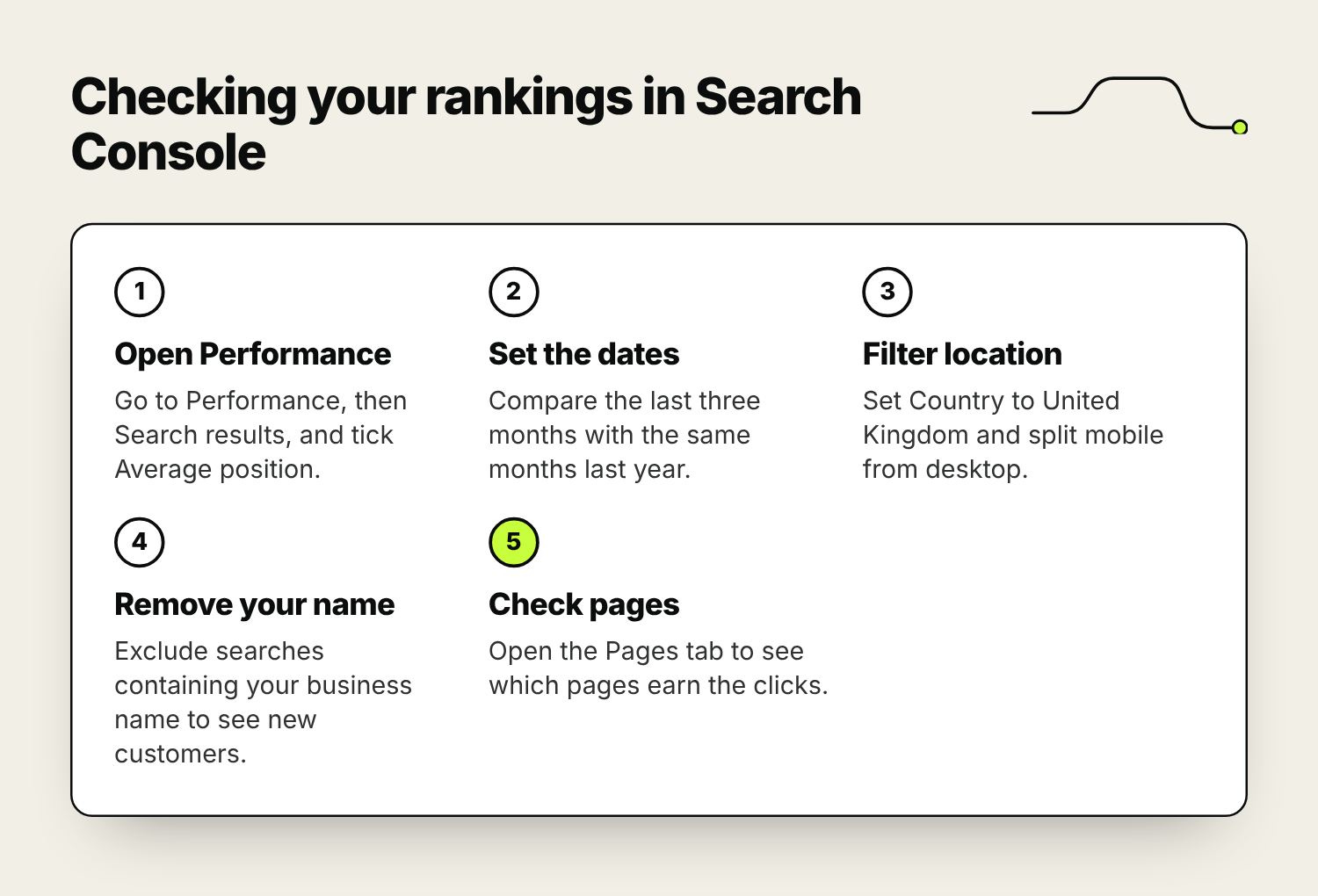
Go to Performance, then Search results. Tick Average position alongside clicks and impressions, then use the tabs below the chart: Queries shows the searches you appeared for, Pages shows which pages earned the impressions and clicks. Filter Country to United Kingdom and split mobile from desktop, because the numbers can differ a lot. Search Console keeps 16 months of data, and the latest figures are usually a couple of days behind.
Compare periods rather than reading a single chart. The last three months against the previous three shows direction; the same months against last year removes seasonal swings.
What average position means
Average position is the average of your highest position each time your site appeared. If a page ranks third for people searching in Swindon and twenty-fifth for people searching elsewhere, the average could land around fourteen, which describes nobody’s results. That’s why the filters matter, and why trends are more useful than any single figure.
Search Console also leaves out searches made by very few people, to protect searchers’ privacy, so the queries listed won’t add up to your total clicks.
Track groups of searches
Individual keywords are noisy. Groups are steadier. Use the query filter to look at, for example, every search containing “boiler” or “kitchen”, and use the custom regex option to group a whole service line. Then filter out your business name: searches that don’t include it are mostly people who didn’t know you yet, which is what SEO is meant to bring.
Other reports worth a monthly look
- Pages, under Indexing: which pages Google has indexed, which it hasn’t, and why.
- URL Inspection: check a single page, see how Google last crawled it and request indexing after a change.
- Sitemaps: confirms Google can read your sitemap.
- Core Web Vitals: pages that load slowly or shift around on real visitors’ devices.
- Manual actions and Security issues: these should be empty. If not, they come first.
When a paid rank tracker is worth it
Search Console reports averages, after the event, and only for searches where you’ve already appeared. A rank tracker checks keywords you choose, from a location you choose, on a schedule, and records where you appear. It’s worth paying for when:
- you need to track searches you don’t appear for yet, which Search Console can’t show you
- you serve several towns and need your position in each one
- you want competitors’ positions tracked alongside yours
- you need to see which features appear for each search, such as map results, AI Overviews or shopping ads
Semrush, Ahrefs, SE Ranking, AccuRanker and Moz Pro all include rank tracking. BrightLocal and Local Falcon focus on local and map results, and can show how your map position changes across a grid of points around your business. Most charge monthly, priced by how many keywords you track and how often they’re checked, so check current plans before you commit.
When you set one up, choose the town or postcode your customers search from, track mobile results, group keywords by service, and add two or three competitors. Weekly checks are enough for most businesses.
How the main ways of checking rankings compare.
| Source | Cost | Shows | Limits |
|---|---|---|---|
| Google Search Console | Free | Google’s own impressions, clicks and average position for searches you appeared in | Averages; a couple of days behind; rare searches hidden; your site only |
| Paid rank tracker | Monthly subscription | Positions for chosen keywords and locations on a schedule, competitors, search features | A snapshot from one location and device; cost grows with keyword numbers |
| Google Business Profile performance | Free | Searches that showed your profile, calls, website clicks and direction requests | Your map listing only |
| Searching yourself | Free | What you see, today | Personalised to you, and unreliable |
What to track instead of, or alongside, rankings
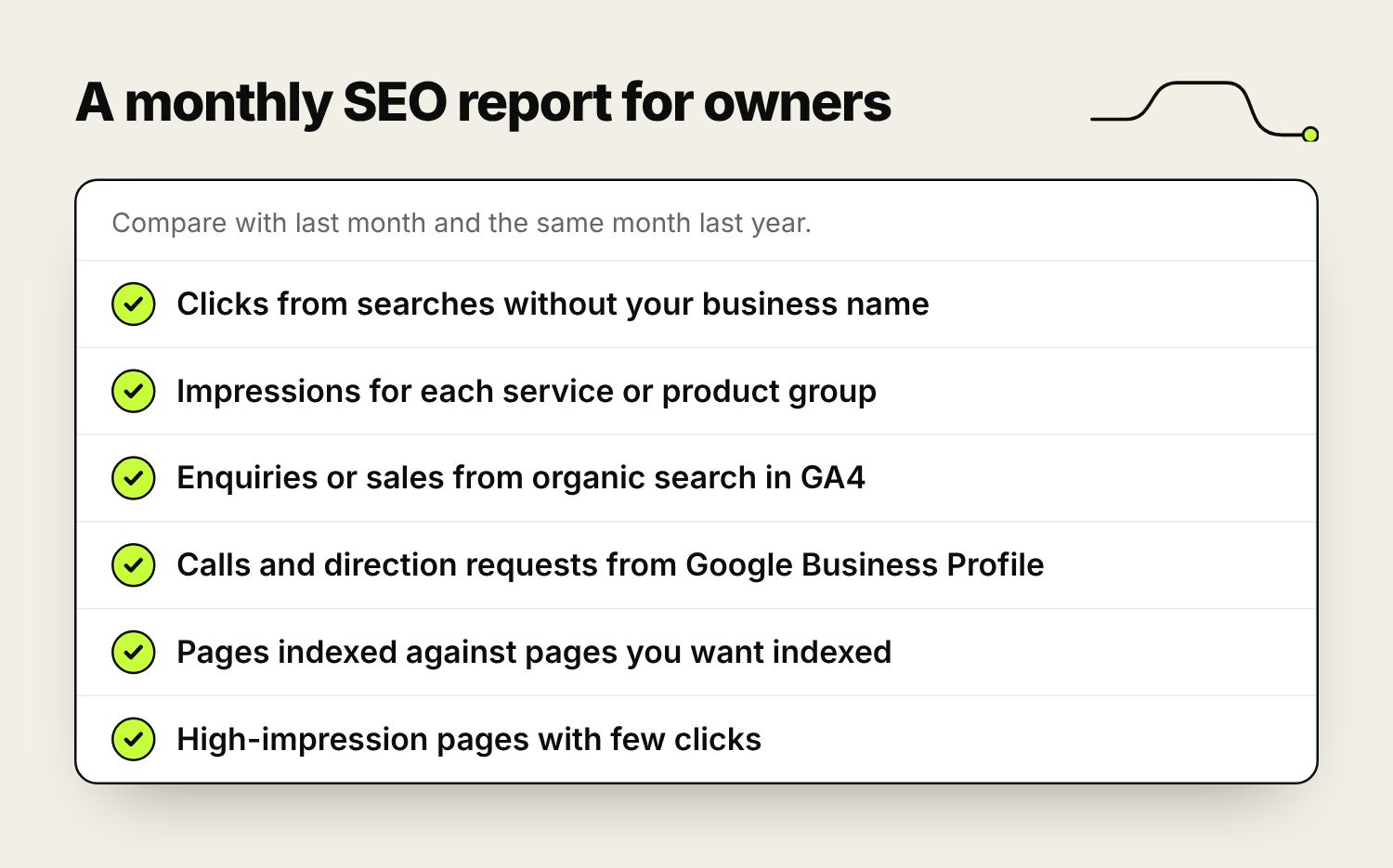
These are the monthly numbers worth a place in your report:
- Clicks from non-brand searches, from Search Console with your business name filtered out. This is new customers finding you.
- Impressions for each service or product group, which shows whether Google is showing you for more searches.
- Enquiries or sales from organic search, from GA4 (track your enquiry forms, calls and sales as events, then filter to the Organic Search channel), checked against your own records.
- Calls, website clicks and direction requests from your Google Business Profile.
- The number of pages indexed against the number you want indexed.
- Click-through rate on pages with lots of impressions and few clicks. These are candidates for better page titles and descriptions.
Use ranking data to explain movement in these numbers. If non-brand clicks fell, rankings tell you whether you dropped or whether fewer people searched. For businesses that depend on the map results, our guide to why local SEO matters explains what feeds them.
What to do when rankings drop
- Check it’s real. Look at a few weeks of data, and at impressions and clicks as well as position.
- Check for seasonality by comparing the same period last year.
- Look in Search Console for indexing problems, manual actions or security issues.
- List recent changes to the site: a redesign, new plugins, changed page addresses, a new cookie banner or a migration. Missing redirects after a rebuild are a frequent cause.
- Check the Google Search Status Dashboard to see whether Google has announced an update.
- Look at who has replaced you, and what their page does better than yours.
If you can’t find a cause after that, it may be time for a second opinion from an SEO specialist. Our guide to finding a good SEO consultant covers what to ask.
How often to check your rankings
For most owners, a monthly review is right: the report above, compared with the previous period and the same month last year. Glance weekly during the first months of an SEO campaign or after a site relaunch, when problems need catching early. Daily checks only make sense during a migration, when you’re watching for pages dropping out of Google. Rankings for new pages take months to settle, so judge a campaign on the trend, as set out in our guide to how long SEO takes.
Frequently asked questions
How can I monitor my search engine rankings for free?
Use Google Search Console. The Performance report shows the searches your site appears for, average position, impressions and clicks, from Google’s own data. Filter by country and device, and compare periods to see the trend. Bing Webmaster Tools does the same for Bing.
What is the best rank tracking tool?
It depends on what you need. Semrush, Ahrefs, SE Ranking, AccuRanker and Moz Pro all track rankings for chosen keywords. BrightLocal and Local Falcon focus on local and map results. Many small businesses get what they need from Search Console without paying for one.
Why is my Google ranking different on my phone?
Results change with device, location and search history. Mobile and desktop results can differ, and local results change from one street to the next. Use Search Console’s device filter for a fairer picture.
How accurate is average position in Search Console?
It’s accurate as an average of your highest position each time you appeared, but an average across locations and devices can describe nobody’s results. Filter by country and device, track groups of searches, and watch the trend.
How often should I check my rankings?
Monthly for most businesses, compared with the previous period and the same month last year. Check weekly during a new campaign or after a relaunch, and daily only during a site migration.
How do I use Google Search Console to improve SEO?
Look for pages with lots of impressions and few clicks, and improve their titles and descriptions. Find searches where you sit on page two and strengthen those pages. Fix anything the Pages report says isn’t indexed, and submit your sitemap.

Founder of The Pursuit Agency in Swindon. He has worked in SEO for fifteen-odd years and leads the agency's SEO and Google Ads work for owner-led businesses across the UK.